Routing Behavioral Signals to Slack Alerts vs Email vs In-App for Different Adoption Contexts
Route behavioral signals to channels based on where users are in their adoption journey.
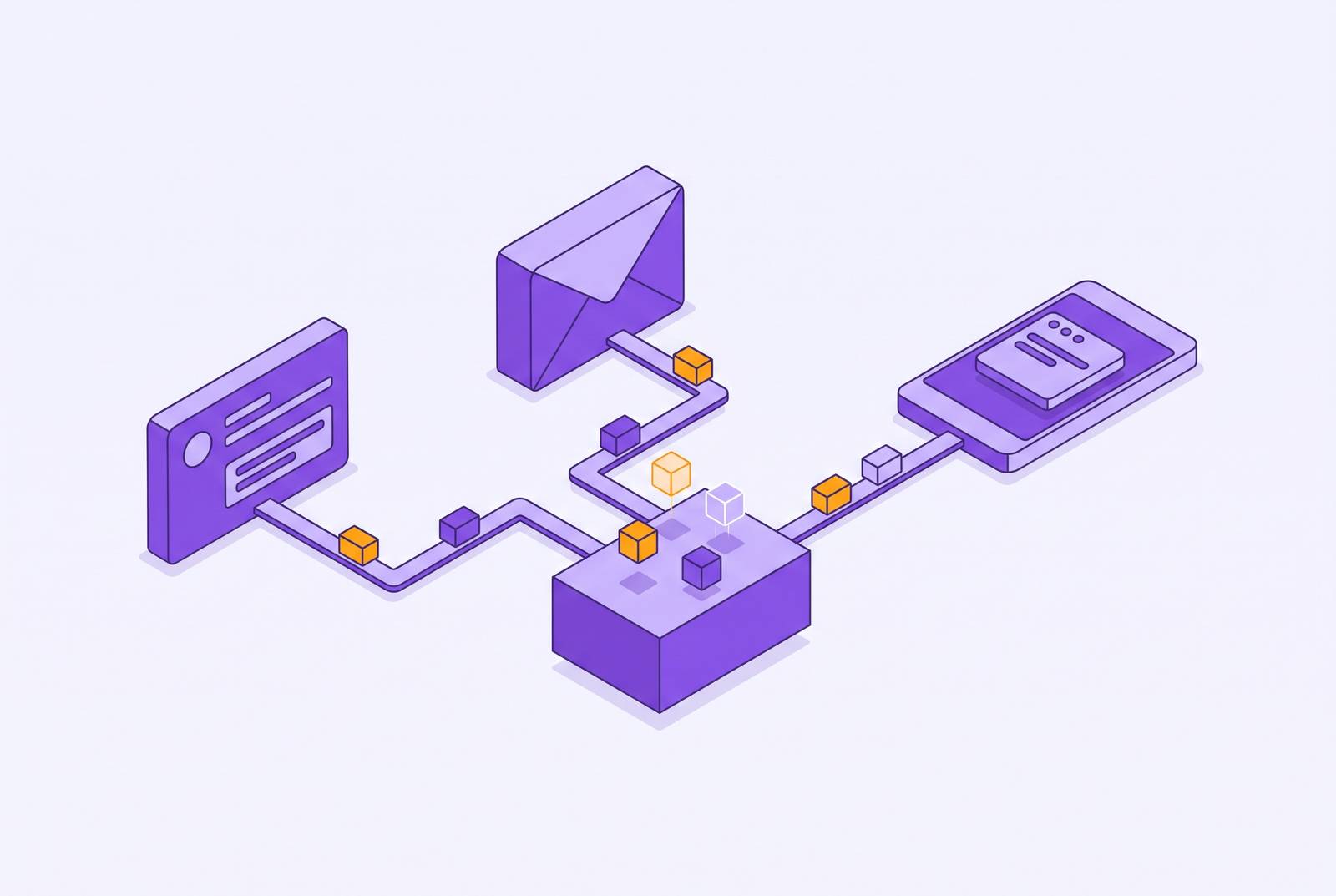
Behavior-based SaaS onboarding emails work best as a fallback when a person has left the product. Growth and RevOps teams should combine product behavior with current account state, then route active friction to in-app guidance, absence to email, and high-value decisions requiring human judgment to Slack.
Why the same behavioral signal produces noise in one channel and action in another
A team can have good behavioral data and still get ignored messages and missed alerts. It knows that a user has not completed a key setup step after two sessions, yet the Slack notification goes untouched. An email arrives hours later, after the person has given up. The event was worth detecting, but neither delivery helped at the moment help mattered.
That failure sits between detection and action. The same unfinished setup step could justify an in-app prompt while the person is stuck or an email after they stop returning. The deciding fact is where the person is in their adoption journey. Without that context, accurate data feeds a routing rule that cannot distinguish an open opportunity from a missed one.
What each channel is structurally capable of, and where each one fails
In-app messaging has the highest engagement potential of these channels, but only while someone is in the product. It fits a first encounter with a feature, an unfinished setup step, or an approaching limit. Its strength is proximity to the action it asks for. That strength disappears when the person is dormant, has never logged in, or needs to act before returning. It also falls short when an account-level problem is bigger than one user's view of the app.
Email trades immediacy for persistence. It stays in the inbox and gives the reader room for depth, summaries, and decisions that need thought. That makes it useful for dormant users, re-engagement, and durable records, including milestone confirmations and weekly usage digests. However, an email opened later cannot recover a moment of friction that has already passed. Broadcast announcements also fit email because it can reach many people at little added cost, with less need to time messages to behavior.
Slack alerts go to someone inside the business who can make a decision on the customer's case. They put a signal in front of a growth rep, RevOps engineer, or account owner who can judge what should happen next. Business chat helps people act quickly when an opportunity is valuable and time is short. But when every event goes there, the queue becomes background noise and loses that edge.
These limits hold whether the team uses Userlens or another way to link signals to outreach. The useful pattern is sequential fallback, with one channel first and another only if the person has not acted. Sending everywhere at once is not a fallback strategy.
Onboarding friction signals belong in-app, with a narrow set of exceptions
When onboarding friction happens during a session, the intervention belongs in that session. A key setup step may be unfinished, or an incomplete configuration may block the team's defined activation milestone. The person is present, the obstacle is current, and the next step is still within reach. Email and internal Slack routing add delay to a problem that calls for immediate guidance. During the activation window, when a new user's behavior is most predictive, that delay matters.
The prompt still has to earn its place. Useful personalization offers a concrete next action rather than reciting what the person has failed to do. A behavioral gap means the person did one thing but not the next, so guidance should help close that gap. Narrating inactivity back to the user can feel like surveillance.
Email becomes appropriate when the person has not returned within a defined window, such as a day or two depending on expected usage frequency. At that point, the in-app opportunity has passed, and the job is to support re-entry. Userlens brings product usage patterns together with database facts such as setup completion, feature access, and plan state, so the choice draws on both behavior and the account's current state. A separate exception warrants Slack when a stuck user at a high-ACV account may be blocking an entire team's activation. In that case, human follow-up should come before an automated message.
Feature stagnation signals require knowing whether the person is absent or present before routing
An active person who ignores a feature needs a different route from a person who has stopped logging in. The first case is an adoption gap inside an ongoing product habit, while the second requires reaching someone outside the product. Before choosing what to say or when to send it, the team needs to know whether the person is still in the product.
For the active individual, an in-app prompt belongs near the unused feature's entry point. The person is already oriented toward the product, so the message can connect the feature to the work at hand. A generic interruption asking whether they have tried it loses that advantage.
If teammates remain active but one person has drifted, email is the better route. Their absence may reflect a role change, a workflow shift, or a temporary break. The email can draw on a team milestone or a feature colleagues are using to offer a specific next step. It should not turn uncertainty about the person's role into a generic reactivation plea.
When few users touch a feature the account can access, the cause may be a training gap, a configuration problem, or a mismatch in expectations. A Slack alert gives the growth rep or account owner a chance to investigate through conversation. To make that possible, it should carry the account, feature, number of affected users, and length of the gap without requiring another dashboard visit.
Expansion-readiness signals are high-value and time-bounded, which makes Slack the right first stop
With expansion signals, the team moves from helping people get unstuck to judging a chance to bring in more revenue. A team may be nearing a usage limit, growing past a seat threshold, or using the product in ways that resemble paying accounts before an upgrade. Those signals have a short action window. Leaving them in an email digest can make the response stale before anyone considers it.
For accounts above a defined ACV threshold, the next step is usually a human-initiated conversation. Slack earns its place by reaching someone with both account context and authority to act. That may be a growth rep who knows the history or a founder handling direct outreach. A valuable, time-bounded decision needs a person in the loop before customer messaging fires.
An actionable alert names the account and the behavior that triggered it. It also gives the current plan, the relevant expansion option, and access to recent product behavior. Without those facts, the recipient has to reconstruct the case before deciding what to do. A dedicated channel for high-confidence expansion signals protects that queue from lower-confidence and informational traffic.
The self-serve exception matters just as much as the human-led case. For lower-ACV accounts without a rep in the loop, a Slack alert may have no useful recipient. In-app guidance is then the right route at the moment the person approaches a limit.
Re-engagement signals are the clearest case for email, and the most commonly misrouted
A person who has stopped returning cannot see an in-app nudge. Sending the same signal to Slack instead assigns a human work that a well-constructed email can often handle. This context includes someone who activated but did not return within the expected usage window, or an account whose overall usage has declined over several weeks.
Email's persistence now becomes an advantage. The message needs to make sense when the person has attention to spare. It should connect their last useful action with an untried next step and explain what another visit would accomplish. That gives the return a purpose beyond checking out whatever the team has recently shipped.
The common mistake is choosing email correctly and then sending the wrong kind of email. A newsletter, announcement, or general digest is not a behavioral re-engagement message merely because an inactivity trigger sent it. Broadcast content reaches many people, while this message should help one person take a useful next step.
Success is repeated successful use. If someone reads the email but never returns to complete the target behavior, the message has not done its job. If an account with significant ARR is still inactive after email gets no response, the team can escalate through Slack. A human can then decide whether direct conversation is warranted, rather than receiving every absence signal by default.
Routing decisions compound: the adoption context changes as a person moves through the product journey
A person's adoption context is not permanent. Onboarding friction last week can become feature stagnation this week and expansion readiness next month. A fixed trigger-channel pair misses that movement. It can send an active power user guidance meant for someone still struggling with setup.
Each meaningful action should update what the team knows about the person as well as meet the conditions of a message trigger. If a re-engagement email brings someone back and they complete a key action, that progress should shape the next routing decision. The signal comes from the gap between expected use and actual behavior. Current database state, including plan, role, and configuration, explains what should be possible, while behavior over time shows what is happening.
This is also a useful distinction when comparing adoption tools with in-app walkthroughs and analytics-only approaches. In-app guidance helps while someone is using the product, while behavior tracking alone cannot tell whether a message fits the person's current state. The routing job requires both sources of context and a decision about whether to send at all. More detected events do not substitute for that judgment.
An adoption agent uses this logic without the team having to build a separate decision tree for every possible change. Userlens's Lumi is one option built around a campaign's goal, audience, and limits, investigating each eligible person and routing according to the evidence. It measures whether product behavior changed. It also skips cases where the evidence is weak, within guardrails set by people. Readers weighing Userlens should check its product page to see what it can do now, since a framework may not describe every channel or integration it offers.
Building the routing decision into a process the team can audit and adjust
A routing framework must be written down to be evaluated. The team begins with a shared activation definition and agreement on what counts as onboarding friction, feature stagnation, expansion readiness, and re-engagement. Otherwise, different people will assign different meanings and channels to the same event. Reusable criteria give RevOps engineers rules they can test against new data and hand off without relying on one person's memory.
Governance belongs at the send gate. The routing layer must enforce frequency caps, quiet hours, never-contact flags, and skip-if-evidence-is-weak rules as part of how it works. These limits keep automated routing from putting pressure on people through several channels at once.
The build does not need to automate every context at once. If acting fast on expansion signals does the most to bring in revenue, instrument that route before onboarding friction. A regular routing review also helps expose rules that were chosen because they were easy to configure and that fit the signal poorly. That matters when the people configuring the system have not been trained on the tools.
The final test is not whether the message was opened or the alert was seen. Routing is a measurement problem. Did the chosen channel lead to the target behavior change.