Joining Product Event Data With CRM and Database State for Personalization
Linking product behavior to account state reveals who's ready to adopt and what message will work.
Behavior-based SaaS onboarding emails need product history and current account state joined through shared user and account IDs. That join shows who can use a feature, who needs help adopting it, and what a useful next step would be. Personalization breaks down when teams treat either source as a complete picture, then send messages based on a label that misrepresents a person’s situation.
Why product data and account data each fail alone
A user is on a paid plan with a key feature enabled but has never used it. The team sends a generic onboarding drip because the CRM says “onboarding,” regardless of what the product log shows. That label cannot distinguish someone who needs an introduction from someone who has already built a working routine. It describes a lifecycle stage. The message fails because its trigger leaves out the evidence that would make it useful.
Product event logs provide machine-generated, timestamped records of actions and return visits. Because they record behavior in a consistent way, teams can trust them without relying on sales reps to keep the CRM up to date. But they cannot establish whether a person is an admin or a viewer, whether their plan includes a feature, or whether their configuration allows them to use it. CRM and database state capture that context but not the trajectory behind it. The same “paid plan, feature enabled” record can describe someone who never started or someone who used the feature regularly and stopped. Neither source alone reveals the gap between what the person can reasonably do and what they actually do.
What "joining" these sources actually means in practice
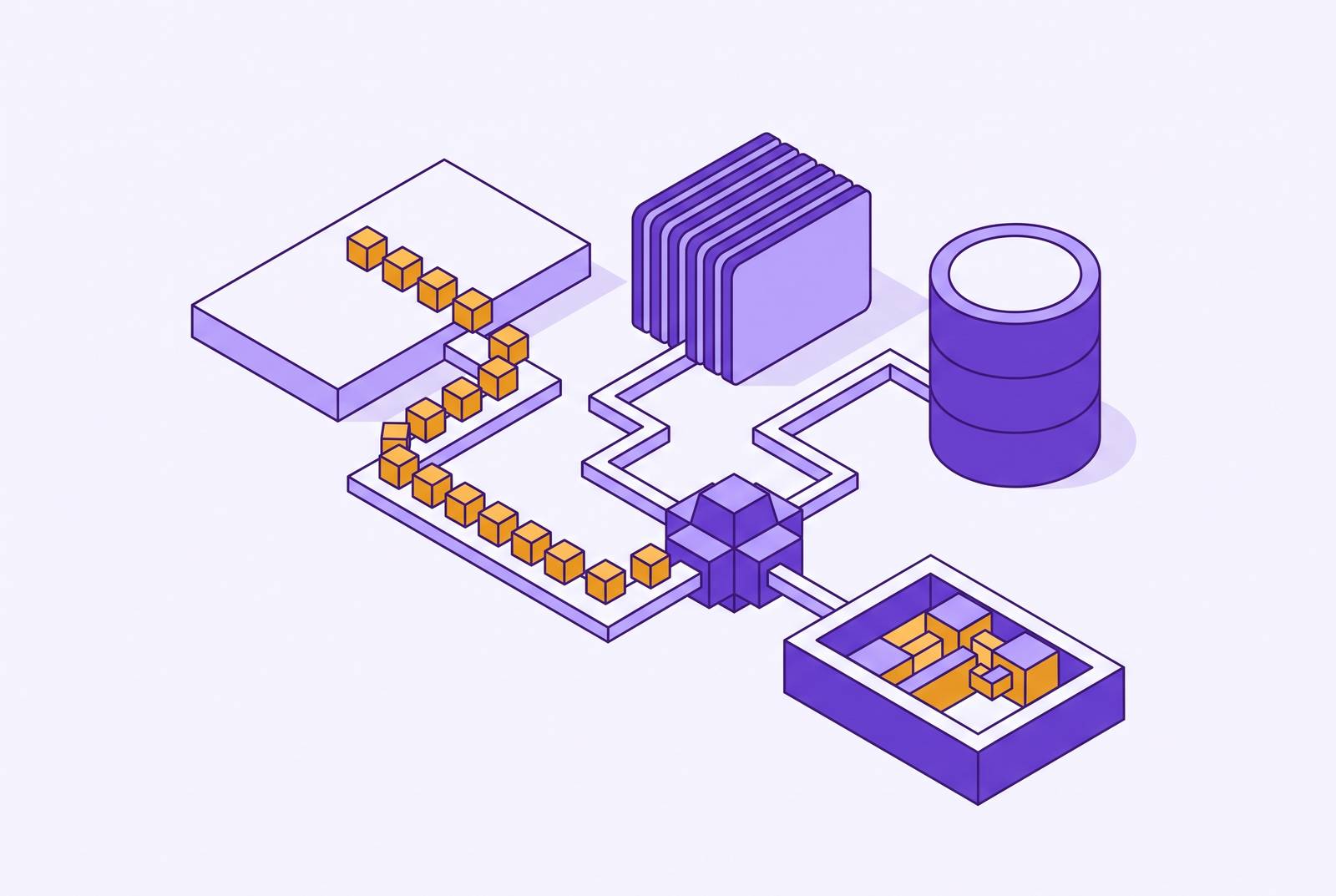
The join is a maintained link between records. On one side sits a stream of product events keyed to a user ID and timestamped as actions occur. Those events include a feature opened, a workflow completed, a report exported, or an invite sent. On the other side sit current-state records containing account attributes, role assignments, plan, billing status, and configuration. Shared user and account IDs let the system match a person’s history to the state that applies to them.
The two sides retain different jobs after the match. Event history establishes recency and trajectory, while the backend database supplies the authoritative record of what the product currently allows for that account. A Customer Data Platform for SaaS can unify these streams with subscription, billing, and CRM records into a joined user and account view. That view depends on identity resolution. When identifier schemes differ or anonymous sessions are never linked to a known user, the system cannot connect behavior to account context. A stream of actions is not yet an individual record if the system cannot reliably say whose actions they are.
Why the eligible cohort is the most consequential design decision in this join
Once the records match, teams need to ask whose adoption they are measuring as well as what the adoption rate is. The eligible cohort contains people who can access a feature and hold a role in which using it makes sense. Including people blocked by their plan, permissions, or incomplete configuration inflates the denominator. Adoption then looks lower, even though there are no more people who could benefit from adoption messaging. The metric mixes people who need guidance with people who have no path to the action being measured.
The reverse mistake is excluding eligible people simply because they have not acted. Their absence is the gap the team needs to see, so they belong in the denominator even though they do not belong in the adopted group. Account eligibility also cannot stand in for individual eligibility, because a feature may matter to only some roles within an account. For a messaging system such as Userlens, this boundary sets what counts as adoption and who should get guidance. Once the boundary is sound, a shared role, configuration gap, or onboarding stage among non-adopters becomes a useful diagnostic pattern.
What activation tells you versus what adoption tells you
An eligible user who has never opened a feature needs a different message from someone who tried it and never returned. Activation marks the first confirmed encounter, whether that is opening the feature or completing its initial action. Adoption means people keep coming back on their own, without a tooltip prompting another visit. Treating activation as the finish line hides the people who started but have not formed that routine.
The event stream separates those stages, while current state establishes whether continued use is still possible and relevant. Repeat key-action rate measures the share of activated users who return to the key action in the next period, scoped to the eligible activated cohort. Feature breadth is how many features a person or account uses regularly, and feature depth is how heavily they use each one. Both need the state record to establish which features are available. Together, these signals distinguish a first-use prompt from guidance about returning to an unfinished workflow or recovering a declining habit. That distinction matters more to the recipient than the lifecycle label attached to their account.
How the join changes what a personalized onboarding email can say
A template-based message makes a broad inference from role or plan. It can use a first name and still tell an active user about a feature they already use. A message based on the join points to a next step that fits what the person can access and what they have done. For example, it can focus on completing the initial action for an enabled feature rather than explaining a feature that remains unavailable.
Timing follows the same logic. A decline in use is a reason to consider re-engagement only if the feature remains enabled and relevant to the person’s role. Strong, consistent adoption is a reason to skip the message. Userlens reads product behavior and current state together to draft distinct guidance when the evidence supports it, within team-approved campaign goals, audiences, guidance, and limits. Useful personalization also means holding back, because a nudge someone does not need can teach them to ignore the next useful one.
Role-based and configuration-based segmentation as a join-dependent capability
A segment called “all users on the enterprise plan” groups people by an account attribute. A role-based segment is more useful only when the role corresponds to different product behavior. In a BI platform, data analysts, marketing ops, and executives may need different onboarding content, but the joined record can test whether their usage actually differs. The title supplies a hypothesis about relevance. The behavior shows whether that hypothesis holds for the people receiving the guidance.
Two people with the same job title and plan may differ because one has connected an integration or completed a setup step and the other has not. At signup, their records of what they have done may look alike even though only one can move forward. The blocked person needs setup guidance, while the unblocked non-adopter needs a first use case. A segment combining current eligibility with the absence of an adoption action in the past thirty days can be rerun against joined data to find the current audience. It defines who needs help as that need changes, so the list of names does not grow stale.
Measuring whether a message moved behavior, not whether someone opened it
The outcome is the product behavior the message was meant to encourage. Before sending, the joined record establishes whether the person has never activated, has activated without returning, or has reduced their use. Afterward, event history shows whether they completed the adoption action, came back to the feature, or used it as often as they did before. Current account state confirms whether they were still eligible over the period being compared. Without that context, a change in access can be mistaken for a change in willingness to use the product.
Opens and clicks help instrument delivery and response, but they do not establish adoption or prove that the message helped. A person can open an email and do nothing, or adopt through another path without opening it. Even adoption observed after a message is not proof of causal lift, because some recipients would have adopted anyway. Distinguishing those outcomes requires comparison against a baseline or holdout, rather than crediting every later action to the campaign. The same join that helps decide when to send also gives the team evidence to improve the rules for future sends.
What prescriptive personalization requires that descriptive tools cannot provide
Descriptive analytics gives a team adoption rates, health scores, and cohort trends that help it find a problem. Knowing that a segment has low adoption still leaves individual questions unresolved, including current access, prior use, and whether guidance is warranted. Prescriptive action needs a record with enough detail to assess each person on their own. The join provides that resolution without treating everyone in the segment as interchangeable.
This is the useful distinction between analytics-only views, in-app guidance, and outreach grounded in account state. Analytics shows the pattern, while an in-app prompt can point someone toward a feature without showing that they keep coming back on their own. Joined outreach connects guidance to the person’s eligibility and behavioral position. The tools therefore need context for each person, sound eligibility rules, a way to decide when to send or skip, and a way to measure what people do in the product afterward. A personalized channel alone cannot do all of that.
Userlens’s Lumi shows how the prescriptive-to-agentic layer works by reading product usage and database state, deciding whether to reach out, writing guidance for each person, and measuring what they do afterward. A human approves the campaign once. Predictive analysis looks at what is likely to happen, while prescriptive guidance sets out the right next step for this person today. Acting on that guidance requires a boundary for when to wait or skip, too. Without the join, an agent has neither a grounded reason to reach out nor a reliable basis for deciding that no message is needed.
Building and maintaining the join without letting it drift
For RevOps engineers and growth leads, the first check is whether user and account identifiers match across the analytics stream and backend database. Email in one system and a numeric ID in another cannot be treated as a reliable match without consistent identity resolution. RevOps and engineering need shared canonical identifiers and agreement about how they propagate. The next check is whether the existing events capture the actions used to define activation and adoption. Starting does not necessarily require a new tracking plan, and Userlens works from the database and analytics a team already has.
Freshness matters as much as identity. A weekly state snapshot can miss a plan upgrade, a changed role, or a completed setup step that alters eligibility before the next refresh. The audience therefore needs to be evaluated against current state rather than an old copy that still shows a resolved gap. Activation and adoption definitions also need a shared home, including the event, frequency threshold, and measurement window. Without it, teams can end up with different cohorts while thinking they are measuring the same behavior.
Finally, the join must be legible enough to audit. A RevOps engineer should be able to inspect the state and behavioral evidence behind a message and identify an outdated or wrongly matched signal. That inspection links data maintenance to the decisions the data supports. Shared definitions and auditability make the join durable because they make its meaning explicit. The technical connection carries an organizational agreement about who needs help, what counts as progress, and how those judgments stay current.